
🛡️ The Importance of Cyber Security in Online Quran Learning
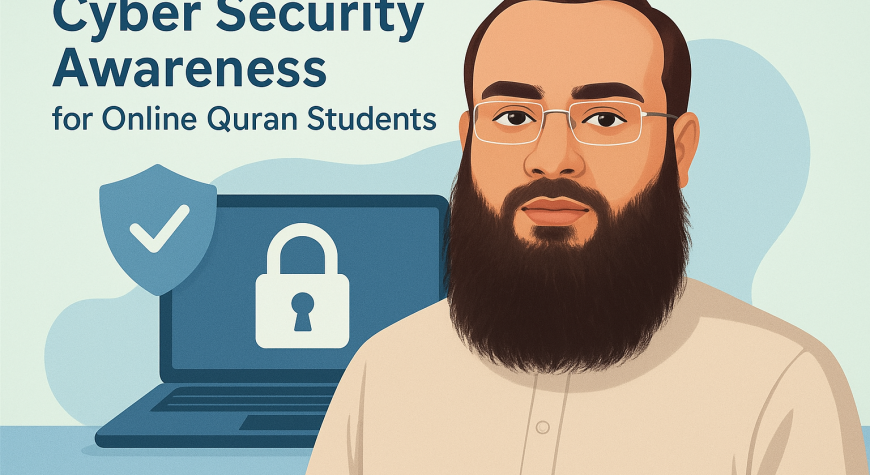
In today’s digital world, learning the Quran online has become easier and more accessible than ever. Thousands of students across the globe now benefit from online Quran forums and virtual classes. However, as this opportunity expands, cyber security has become a vital concern for both students and teachers.
💻 Always Choose a Trusted Quran Academy
It is always best to study through a trusted and verified Quran academy rather than learning from an unverified individual teacher.
Reputable institutes such as Gateway to Quran ensure that all teachers are qualified, verified, and that classes are conducted in a secure and supervised environment.
Joining a recognized platform also means you receive authentic learning through our Online Quran Courses, with full support and accountability.
🔒 Protect Your Personal Information
Students should never share personal information such as phone numbers, home addresses, or social media profiles with anyone online.
All communication should only take place through Gateway to Quran’s official and registered WhatsApp number.
This policy ensures transparency, safety, and professional communication between teachers and students.
🚫 Avoid Clicking Suspicious Links
Cybercriminals may use harmful links to steal information or infect devices. For your safety, never click on unverified links shared through chat or email.
To maintain a high level of security, Gateway to Quran has disabled all private chat options during online meetings.
This prevents accidental sharing of unsafe links or personal details.
⚠️ No Personal Contact Sharing
According to the Gateway to Quran Terms and Conditions, personal contact sharing between teachers and students is strictly prohibited.
If any teacher tries to share their personal number or contact details, politely refuse and inform the admin immediately. +923025765143
All communication and file sharing must go through the academy’s official channels only.
This ensures professionalism, prevents data misuse, and keeps the learning environment respectful and secure.
🧩 Additional Safety Tips
- Keep your device updated and protected with antivirus software.
- Use strong, unique passwords for online class accounts.
- Avoid using public Wi-Fi for your Quran lessons.
- Report any unusual messages or suspicious activity directly to the admin team.
- Always log out after class, especially on shared or public computers.
🌐 Secure Learning with Gateway to Quran which ensures Cyber Security
At Gateway to Quran, we prioritize your privacy and security.
Every measure — from controlled communication channels to verified teacher profiles — is designed to ensure a safe, respectful, and trustworthy Quran learning experience.
By following these simple security steps, students and teachers can focus entirely on what truly matters —
connecting with the Book of Allah in peace and safety.
TIPS for Cyber Security in Online Quran Learning
Here are some practical ways online students — especially Quran learners — can secure themselves from cybercrime:
🛡️ 1. Use Only Official Academy Platforms
- Always attend classes through your academy’s verified website or app (like GatewayToQuran.com).
- Avoid joining personal links or video calls sent by unverified teachers or individuals.
🔒 2. Protect Your Personal Information
- Never share your phone number, home address, or personal photos with anyone online.
- Do not give your login details or passwords to teachers, classmates, or even friends.
🧠 3. Verify Teacher Identity
- Ensure your teacher is officially registered with the academy.
- If anyone asks to contact them privately or outside the academy system, refuse and inform the admin immediately.
🧰 4. Use Strong Passwords
- Create passwords with letters, numbers, and symbols.
- Change your passwords every few months and don’t reuse the same one across different sites.
🧩 5. Enable Two-Factor Authentication (2FA)
- Activate 2FA for your email and any learning platforms.
- This adds a layer of protection even if someone tries to hack your account.
💻 6. Keep Your Devices Secure
- Don’t give access to your PC in any way. (GatewaytoQuran disables all such controls)
- Install antivirus software and keep your operating system updated.
- Avoid downloading files or clicking on links from unknown sources.
🚨 7. Report Suspicious Activity
- If someone shares personal contact info or tries to move communication outside the academy, report it to the admin immediately.
- If there’s data theft or harassment, inform the admin and they’ll take necessary actions.
🌐 8. Stay Educated About Online Safety
- Join cyber security awareness sessions.
- Read verified blogs to stay updated on digital safety.
Lorem Ipsum